Your container image is 1.2 GB and could be 80
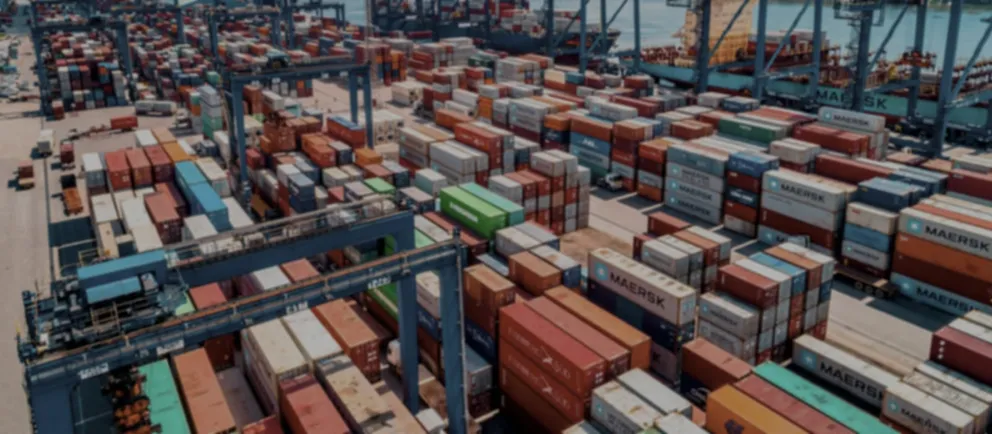
A large container image is not just an ugly number. It is download time on every deploy, on every new node in the cluster and on every cold start. And it is attack surface: every program you include and do not use is something somebody can take advantage of if they manage to run code inside.
Most images over a gigabyte got there through four specific decisions. Let us go through them one at a time, with what each change saves.
The starting point
A typical Node Dockerfile, of the kind you see every day:
FROM node:22

WORKDIR /app
COPY . .
RUN npm install
RUN npm run build

CMD ["node", "dist/server.js"]
It works. And it produces an image of about 1.1 GB. It has four problems, and none of them is obvious from reading it.
1. The final image includes everything needed to build
node:22 ships the complete operating system, the C compiler, Python, Git and
the package manager. All of that is needed to build, and none of it to run.
The fix is a multi-stage build: one stage builds, another runs, and only what is needed gets copied across.
# ── Stage 1: build ──────────────────────────────────────
FROM node:22 AS build
WORKDIR /app
COPY package*.json ./
RUN npm ci
COPY . .
RUN npm run build && npm prune --omit=dev

# ── Stage 2: run ────────────────────────────────────────
FROM node:22-slim
WORKDIR /app
COPY --from=build /app/node_modules ./node_modules
COPY --from=build /app/dist ./dist
CMD ["node", "dist/server.js"]
Everything you do not explicitly copy from one stage to the other is thrown away. The compiler, the source files, the npm cache and the development dependencies never reach the final image.
From 1.1 GB down to around 240 MB.
2. The order of the lines decides how long every build takes
Notice that in the example above COPY package*.json comes before
COPY . .. That is not cosmetic.
Docker caches each instruction, and when one changes it invalidates that one and
all the ones after it. In the original version, COPY . . comes before
npm install: any change to any file in the project — a comma in a comment —
invalidates the copy, and with it the dependency install. Every build reinstalls
everything from scratch.
By copying only package.json and package-lock.json first, the install is
reused as long as the dependencies do not change. Which is almost always.
On a medium-sized project that is the difference between a two-minute build and a ten-second one.
The same principle applies in other languages: COPY go.mod go.sum before the
code in Go, COPY *.csproj before the rest in .NET, COPY requirements.txt in
Python.
3. The base image ships an operating system you do not use
node:22-slim still includes a shell, a package manager and dozens of utilities.
A distroless image ships only the language runtime and its libraries: no
bash, no apt, no curl.
FROM gcr.io/distroless/nodejs22-debian12
WORKDIR /app
COPY --from=build /app/node_modules ./node_modules
COPY --from=build /app/dist ./dist
CMD ["dist/server.js"]
From 240 MB down to around 130 MB. And something more important than the
size: if somebody manages to run code inside the container, there is no shell
for them to use. Many attack chains depend on being able to run sh or
download a tool with curl. Here neither exists.
For a sense of scale among minimal bases: Alpine is around 26 MB, the Chainguard
images around 20 MB, and scratch — literally nothing — 12.6 MB.
The real cost: you cannot get into the container to look around.
docker exec ... sh does not work because there is no sh. That forces you to
rely on logs and metrics, which is the right thing in production, but it changes
how you debug.
4. You run as root without needing to
By default, the process inside the container runs as root. If somebody escapes
the process, they start with maximum privileges.
# Distroless images ship an unprivileged user ready to use
USER nonroot
On an ordinary image, you create one:
RUN useradd --system --uid 10001 app
USER 10001
Use the number, not the name. Kubernetes can verify runAsNonRoot: true by
looking at the numeric id; with a name it has to resolve it inside the image, and
there are setups where that fails.
This does not reduce the size. It is the one-line change with the best ratio of effort to benefit on the whole list.
The result
# syntax=docker/dockerfile:1

FROM node:22 AS build
WORKDIR /app
# Dependencies first: the cache is reused as long as they do not change
COPY package*.json ./
RUN npm ci
COPY . .
RUN npm run build && npm prune --omit=dev

FROM gcr.io/distroless/nodejs22-debian12
WORKDIR /app
COPY --from=build --chown=nonroot:nonroot /app/node_modules ./node_modules
COPY --from=build --chown=nonroot:nonroot /app/dist ./dist
USER nonroot
CMD ["dist/server.js"]| Size | Build with cache | |
|---|---|---|
| Original | 1.1 GB | ~2 min |
| Multi-stage | 240 MB | ~10 s |
| Distroless | 130 MB | ~10 s |
| Compiled to a native binary | 20-80 MB | ~10 s |
The last row is for languages that compile to a single executable — Go, Rust, or
.NET with Native AOT — where the final image can be scratch with one file
inside.
How to find out what is taking up the space
Before optimising without knowing where the weight is, look at the layers:
docker history --no-trunc --format "{{.Size}}\t{{.CreatedBy}}" my-image:latestSorted by size, it is almost always the same things: the package manager cache, development dependencies that made it into production, or source files that got copied and stayed.
And a well-made .dockerignore prevents the problem at the source:
node_modules
.git
dist
*.log
.env*
coverage
Without it, COPY . . copies your entire .git with all its history, and your
local node_modules — which may also contain binaries compiled for a different
operating system that will break the image in confusing ways.
What I would do first
If you are only going to make one change: split it into two stages and put the dependency file before the code. That single change usually removes 80% of the weight and almost all of the build time.
The rest is incremental improvement. That one is the jump.
Comments
Sign in to comment and to like this article.
No comments yet. Be the first to write one.